How to use NanoClear™
Wet the lens, swipe with your thumb, rinse. It takes about ten seconds.
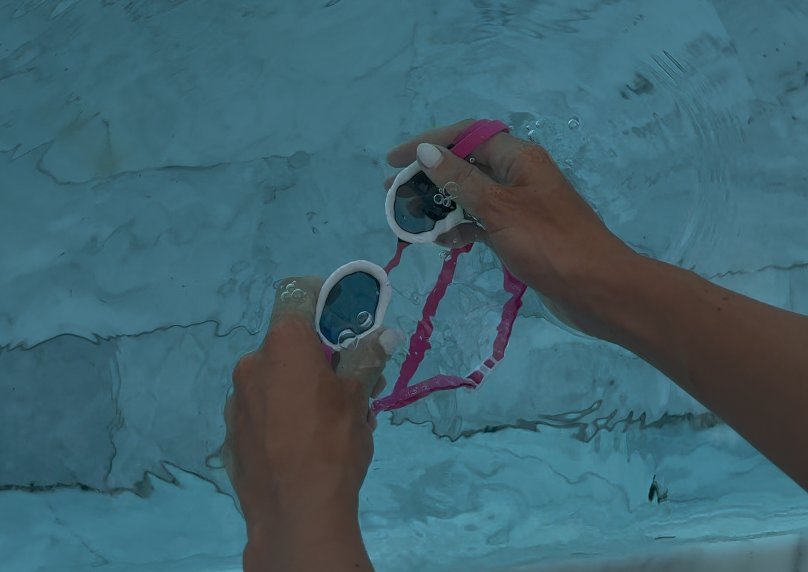
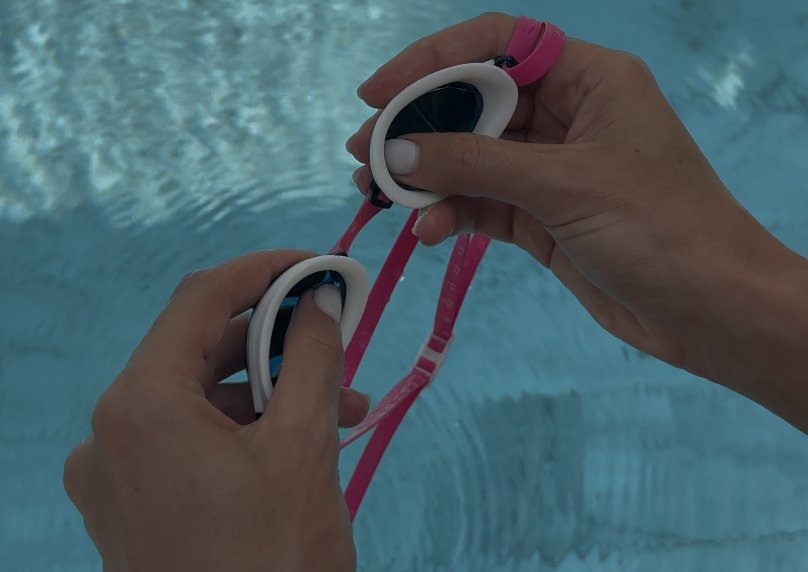
Before every swim
- Wet both lenses. Thoroughly wet the inside of each lens with water. This creates the protective film over the inner surface that keeps vision clear.
- Fit your goggles. Press them gently to your face to test the seal, then put the strap on. Don't over-tighten, as that can worsen the seal.
- Swim. The wet-lens step is what activates the anti-fog, so do it every session.
Activating with your thumb
If your goggles are new, or the lenses have started to fog, use the thumb method.
- Wet the inside of the lenses with water.
- Swipe the inner lens surface firmly with your thumb to clear the fog. Use the pad of your thumb and cover the whole lens.
- Rinse the goggles again with water.
This clears away residue and re-engages the anti-fog layer. After many uses you will need to do this at the start of each swim.
Care notes
- Always wet before use. For best results, make sure the lenses are wet before you start.
- Keep the lens clean. Oils, lotions and debris reduce effectiveness. Regular thumb-swipe reactivation keeps your vision clear.
- Store in a case. A protective case between swims prevents dust and scratches.
- Replace when needed. If the anti-fog stops working even after proper activation, it's time for a new pair. Effortless Swimming goggles carry a 12-month replacement warranty for manufacturing defects.
Troubleshooting
| Problem | Likely cause | What to do |
|---|---|---|
| Fogs in the first few minutes | Lens wasn't wet, or residue on the surface | Wet, swipe with your thumb, rinse |
| Fogging builds up over many swims | Sunscreen, lotion or oils on the lens | Wet, swipe with your thumb, rinse before each swim |
| Fogs even after proper activation | Anti-fog has reached end of life | Replace the goggles |
NanoClear™ goggles are sold by Effortless Swimming.